FRED
FREDButcher shop merchandise: 7 custom ideas without inventory
Looking for a customer gift that genuinely feels like your butcher shop, without ordering hundreds of generic items? On-demand 3D printing lets you test a pig keyring, a shopfront magnet or a small branded object, then manufacture only the quantities you need. Here are seven practical ideas, how to choose one and a simple way to check the numbers before launching it.
In this article
Why create custom merchandise for a butcher shop?
Useful merchandise does more than display a logo. It recalls something customers already know: the shopfront, a house speciality, a mascot, a family name or a local expression. That familiarity is what turns a small object into a keepsake.
Traditional promotional products often require a large minimum order. Small-batch or on-demand manufacturing lets you begin with a few units, see what customers actually like and adjust the shape, colour or personalisation without filling a storeroom.
1. A custom pig keyring
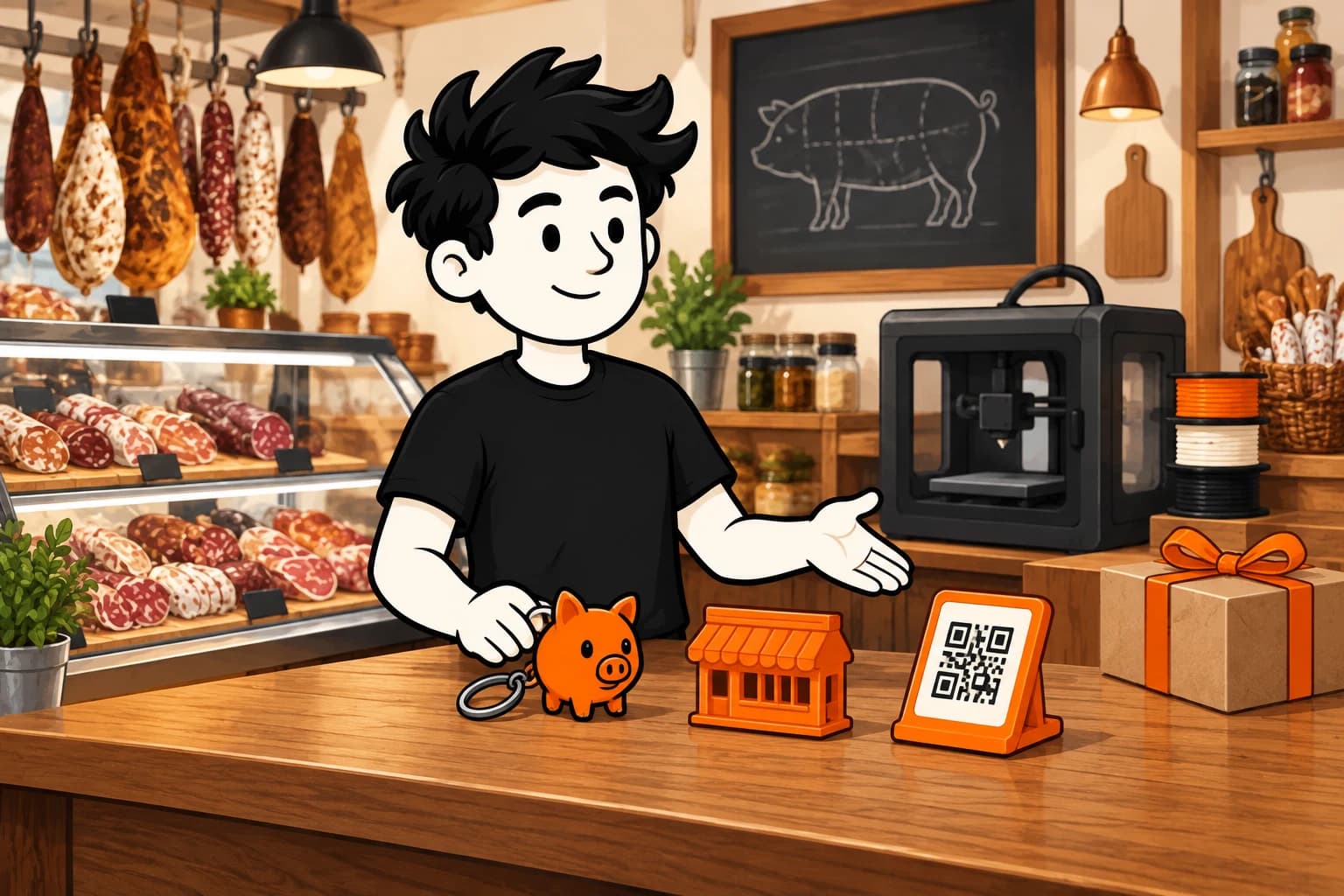
A pig keyring is immediately understandable and can be based on your mascot, sign or house speciality. Use a proper metal split ring rather than printing the whole ring; it will feel better and withstand everyday use.
Sell it near the till, include it in an opening event or add it to a gift box. Start with the shop name. Names and one-off messages can follow if customers request them.
2. A magnet based on the shopfront
Take a straight-on photo, simplify the details and preserve what makes the building recognisable: the sign, awning colour or a distinctive window. The result feels like a neighbourhood souvenir rather than a generic rectangle with a logo.
This works especially well for an established shop, a tourist location or a business with a strong local following. A ham, sausage or grazing-board illustration is another option when it already belongs to your visual identity.
3. A miniature of the shopfront
The miniature is relevant when the shop itself belongs to the neighbourhood’s identity. It works as a keepsake, team gift or window display because it represents a real place customers know rather than a generic butcher-shop symbol.
Start with a straight-on photograph and keep the sign, awning and two or three distinctive volumes. A stable base and sufficiently thick details will work better than a fragile copy of every moulding.
4. A Christmas ornament
A hanging ornament gives the pig, sausage or shopfront silhouette a clear seasonal role. It can accompany holiday orders and return each year with a different date or colour, creating the basis for a small collection.
Use a strong hanging point and keep the weight suitable for a tree branch. Test one dated and one undated version to learn whether customers prefer annual editions or a timeless design.
5. A gift-hamper medallion
The medallion personalises a hamper without redesigning all its packaging. A shop name, year or short message gives the box a special finish, and the recipient can keep it after the food is gone.
Attach it outside with a ribbon and keep it clearly separate from food. Reserve a legible area for ten to fifteen characters and prepare a template so names do not require rebuilding the whole model.
6. A QR-code stand
The QR stand solves an operational need: making holiday ordering, hours, reviews or the catering menu accessible without covering the counter in leaflets. Its value comes from placement and stability, not merely from displaying the logo.
Measure the space by the till, angle the face for scanning and use a replaceable graphic if the link changes. Test it with several phones under the counter’s actual lighting.
7. A counter display
A separate display can highlight a new item, show a price or tell the story behind a recipe. It is distinct from the QR stand because staff need to move and update the information as the available products change.
Design the slot around the cards already in use and make the base resistant to small knocks. Keep it away from food contact and heat, then test it during a busy service day.
Which custom product should you test first?
Start with what customers recognise in three seconds. Choose the keyring if the mascot is well known, the magnet if the shopfront is part of the neighbourhood, or the QR stand if holiday ordering is the priority. One strong idea is more useful than a catalogue of average products.
Prepare five to ten samples and show one at the counter. Ask whether customers would buy it or prefer it inside a gift box. Their answers will tell you whether to sell it, include it above a basket value or reserve it for an event.
How do you calculate selling price and margin?
Cost depends on the 3D model, dimensions, material, colours, quantity and delivery. Add the split ring or magnet, packaging, payment fees and personalisation time as well.
In the FRED seller workspace, configure the model, material, colours, quantity and destination. The quote shows manufacturing and, when a destination is supplied, shipping. The margin simulator then lets you enter selling price, additional costs and monthly volume to estimate gross margin per sale and per month. It is a planning tool, not a profit promise.
No 3D file? You can still start
You do not need to learn modelling software first. Begin with a shopfront photo, a logo or a precise description. When AI Studio is enabled for your account, FRED can create a reference image and then a 3D model for you to review. You can also use a properly licensed model or work with a designer.
Always order a sample before selling. Check physical size, colours, fine details and strength. AI can shorten the path from idea to model, but it does not replace that physical validation.
Use FRED to prepare a first project in under an hour
FRED is a European on-demand 3D printing platform. It connects sellers with partner manufacturers and brings the model, quote, margin planning, order, manufacturing and shipment tracking into one workflow. You do not need to buy printers, organise a workshop or build inventory before testing an idea.
In under an hour, you can choose a first product, prepare a description or upload a file, configure a quantity, request a quote and test a selling price. Creating or repairing a model can naturally take longer; the purpose of this first session is to leave with real numbers and a clear next step.
The simplest route is to choose one item, create or import its model, review the quote and margin, and order a sample. Once approved, FRED can route orders to compatible capacity in its network and let you follow manufacturing and delivery.
Ready to sell without inventory?
The beta is opening gradually. Sign up and we'll let you know when it's your turn.
Request access